List your SaaS in the Official MCP Registry
Publish a live remote MCP server to the Official MCP Registry so agents and directories that query it can discover your product. Install the publisher CLI, authenticate, submit the server entry, then confirm the listing resolves to your endpoint. The real cost is having a working remote server; the submission itself is quick.
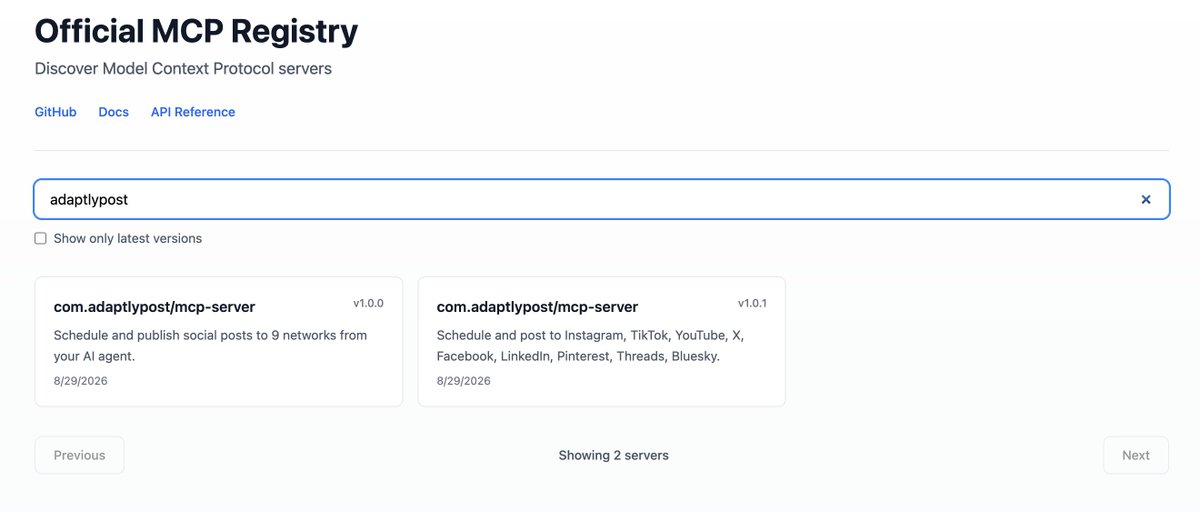
Why this matters
A registry listing puts your MCP server where AI agents and clients look up tools.
Before you start
- A publicly reachable remote MCP server endpoint
- Homebrew installed on macOS or Linux
- An account for the Official MCP Registry (GitHub authentication is typical)
How to apply it
Confirm the remote MCP server responds
Send an MCP initialize request to your public endpoint and check that it answers with a JSON-RPC result containing serverInfo.
Check: The curl request returns HTTP 200 and a JSON body with a result.serverInfo object.
Install the publisher CLI
Install mcp-publisher with Homebrew as described in the tweet.
Check: `mcp-publisher --help` exits with status 0 and prints the available subcommands.
Authenticate the CLI General best practice
General best practice: sign the CLI in to the registry account (typically GitHub-based) before any publish attempt, so the submission is attributed to your organisation.
Check: The CLI reports a signed-in account or writes a credentials file, and no authentication error is returned.
Publish the server entry General best practice
General best practice: run the publish flow from the repository that holds the server manifest, with the name, short description, repository URL and the public remote endpoint filled in.
Check: The CLI prints a success message naming the published server, with no validation errors.
Check the public listing General best practice
Open the registry page for your server and confirm the description, repository link and endpoint are correct and that search on the registry finds it by name.
Check: The registry page for your server returns HTTP 200, shows your remote endpoint, and the site name is returned in registry search results.
This happens outside your codebase
Work through the steps above on the named site or dashboard, then record the result in your agent session. There is no repository edit for this tip.
Source: @tarasshyn on 2026-10-18 · original post · report an error