Mine question-format queries with site: searches
Restrict a Google search to one platform with the site: operator and combine it with quoted question phrases plus your niche. The results list pages where people already phrase the problem your app solves, giving you real question wording to answer on your own pages instead of guessed keywords.
Why this matters
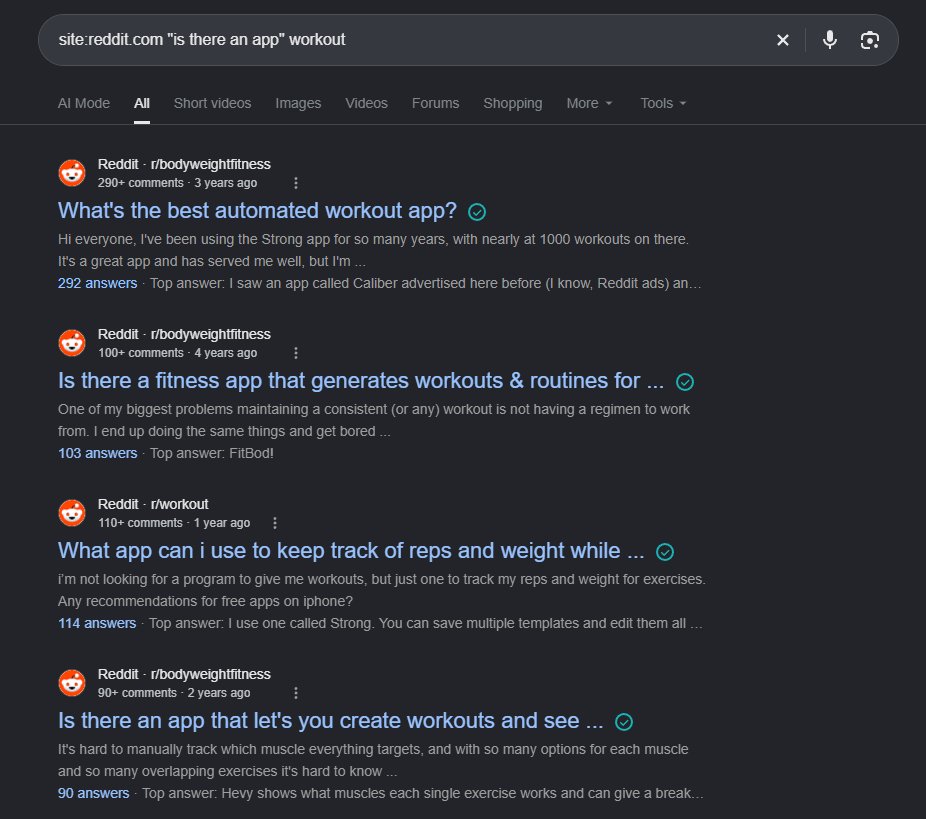
Run site: searches with "is there an app" plus your niche to surface the exact questions people type.
Before you start
- A web browser to resolve the shortened link
- A defined niche term for your app
How to apply it
Resolve the domain the operator targets
Open the shortened link from the tweet in a browser and read the domain in the address bar. That domain is what the site: operator must be restricted to.
Check: The address bar shows the resolved destination domain instead of the t.co shortlink.
Run the first question search
Paste the operator with the resolved domain, the quoted phrase and your niche term into Google.
Check: Results are pages on the resolved domain that contain the exact phrase plus your niche term.
Run the second question search
Repeat with the second quoted phrase to capture a different question pattern.
Check: Results are pages on the resolved domain that contain "any app for" plus your niche term.
Log the recurring phrasings General best practice
Copy each distinct question wording and its URL into a sheet, grouping near-duplicates into one cluster.
Check: The sheet holds at least ten distinct question phrasings, each with a source URL.
Answer the questions on your own pages General best practice
Pick the pages that should rank for each cluster, add the question as a heading and follow it with a short direct answer in text, not an image.
Check: Fetching the page returns 200, the head has no noindex, and the question text appears in the rendered HTML as a heading.
This happens outside your codebase
Work through the steps above on the named site or dashboard, then record the result in your agent session. There is no repository edit for this tip.
Source: @denohawari on 2026-10-18 · original post · report an error