See the AI grounding queries Bing uses for your site
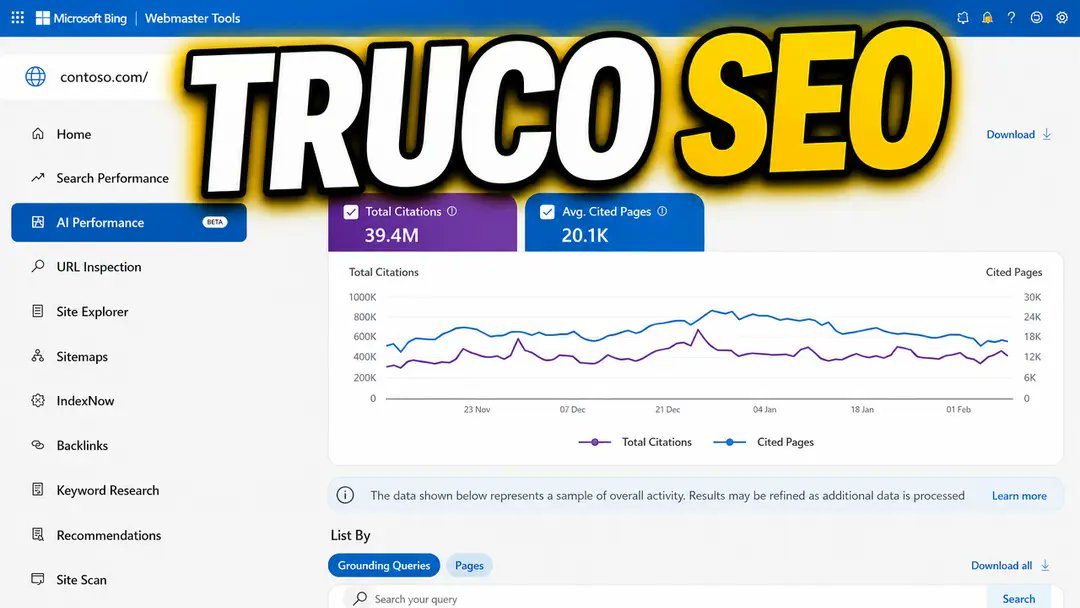
Bing Webmaster Tools has an AI Performance report with a Grounding queries view: the real retrieval phrases an AI system generates from a user question, plus which of your URLs answers each one. It is free for a verified domain and exposes citation share, intents, topics and pages, which turns guesswork about AI citations into a concrete content plan.
Why this matters
Bing Webmaster Tools shows the retrieval phrases AI answer engines actually search with.
Before you start
- A verified domain in Bing Webmaster Tools (free)
- Ability to edit content, headings and internal links on the site
- A spreadsheet for logging grounding queries, topics and pages
How to apply it
Verify your domain and open AI Performance
Go to bing.com/webmasters, add and verify your domain, then open Bing Webmaster Tools -> AI Performance -> Grounding queries. The report is free and available for your own domain only; no paid plan is needed.
Check: Bing Webmaster Tools shows your verified domain and the AI Performance -> Grounding queries table loads with rows.
Read what a grounding query is
A grounding query is not what the user typed. The model first fans the question out into smaller questions, then converts the fragments into real searches it runs against the index. The report lists those internal phrases, which is more direct than guessing from Search Console.
Check: At least one grounding query in the table is phrased differently from any query in your Search Console performance report.
Export the report columns
Capture the grounding queries, citation share, intents, topics and pages columns into a spreadsheet. One row per grounding query, with the URL that answers it, gives you the working list for the next steps.
Check: The spreadsheet has one row per grounding query and non-empty intents and pages columns.
Turn uncovered queries into content briefs
Grounding queries with no page of yours answering them are demand the AI already expresses. Write briefs for those topics using the full grounding query, not keyword-tool volume. Treat the phrase as the question the answer must resolve.
Check: Every uncovered grounding query has a brief with the exact query as the working title or H2.
Protect the pages that are already cited
Pages that do appear as the citation for a grounding query are your AI-search assets. Keep them current and avoid cosmetic rewrites that could drop the passage being cited; improve them additively.
Check: Each cited URL has an owner and a check that its cited section still exists after edits.
Split and consolidate by citation shape
A single URL answering many different fragments is a candidate to split into more specific pages. Many URLs answering the same fragment is cannibalization in AI retrieval: consolidate them and keep one canonical answer.
Check: No grounding query is answered by more than one competing URL after consolidation.
Track movement in the Compare view
Re-open the report every few weeks and use the Compare view to see which grounding queries, topics and cited pages changed. Feed every change into the brief list or the protection list.
Check: The Compare view shows a before/after delta for at least one grounding query since the first export.
This happens outside your codebase
Work through the steps above on the named site or dashboard, then record the result in your agent session. There is no repository edit for this tip.
Source: @isocialwebseo on 2026-10-18 · original post · report an error