Find internal linking opportunities with a site: search
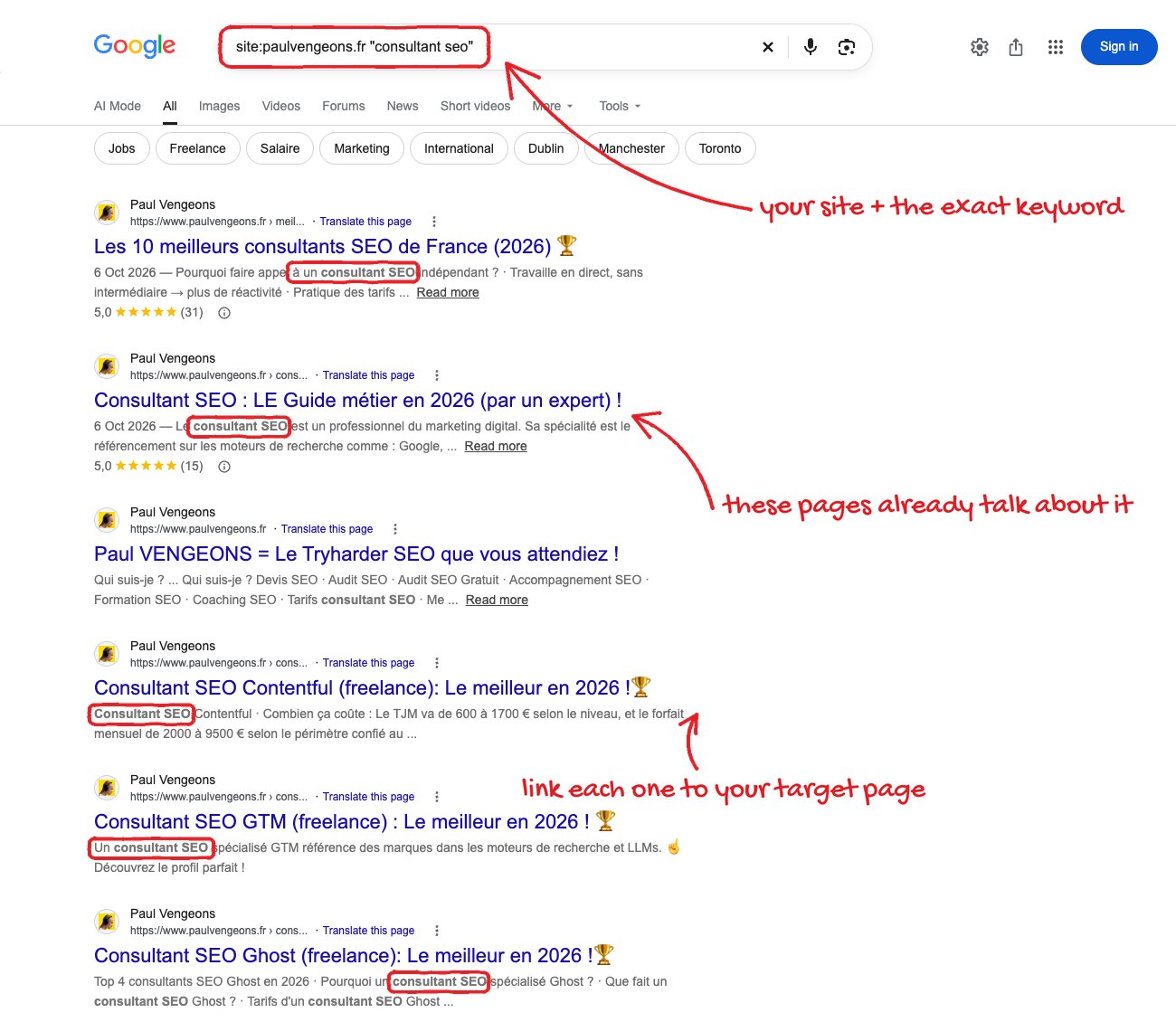
Run a Google site: search for your domain with the target keyword in quotes. The results are pages on your site that already discuss the topic, so they are candidates for contextual internal links to the page you want to rank. Adding those links spreads relevance and helps crawlers discover related pages.
Why this matters
Use site:yourdomain.com "keyword" to find pages that already cover a topic and should link to it.
Before you start
- The site is indexed by Google
- A keyword or topic phrase for the target page
How to apply it
Run the site: search for one topic
In Google, type the site: operator joined directly to your domain with no space, then the topic in double quotes. The quotes force an exact-phrase match so the results are pages that really discuss it.
Check: The results page shows only URLs on your domain, and each result snippet contains the quoted phrase.
Record the resulting URLs
Copy the URLs from the first few pages of results into a sheet next to the keyword. Repeat step 1 for each priority topic so you end up with a topic-to-source-pages map.
Check: The sheet has at least one row per topic, and every URL starts with your domain.
Pick at least five sources per target page
For the page you want to rank, choose at least five indexed pages from the map that already discuss the topic. Five contextual links is the source's target, not a maximum.
Check: Each target topic in the sheet lists at least five source URLs, and each source appears in the site: results.
Add the links inside body copy, never the footer
Edit each source page and add one contextual link to the target inside the paragraph that discusses the topic. Do not put these links in the footer or a sitewide sidebar block.
Check: grep -rn 'href="/target-page/"' <content-dir> returns one hit per edited source file and no hit in the footer template.
Vary the anchor text (editorial note) General best practice
Where the sentence allows it, vary the anchor wording while keeping each anchor descriptive of the target. This keeps the link profile natural; the source recommends the exact keyword, so treat variation as an editorial improvement rather than the tweet's instruction.
Check: The five anchors are not identical, and each is descriptive enough to make sense out of context.
Recheck coverage in Search Console General best practice
After deployment and a crawl, open the Search Console Links report for the target URL and confirm the new source pages appear as internal links.
Check: The target URL's internal links report lists the new source pages.
This happens outside your codebase
Work through the steps above on the named site or dashboard, then record the result in your agent session. There is no repository edit for this tip.
Source: @vengeonsp on 2026-10-18 · original post · report an error