List a SaaS MCP server in the Official MCP Registry and Glama
Publish the product's remote MCP server to the Official MCP Registry using the publisher CLI, then confirm the entry appears and that Glama has imported it. The result is a directory listing and an additional branded mention that surfaces the product to people browsing MCP tooling.
Why this matters
Publish the MCP server to the Official MCP Registry so Glama can pick it up as a directory listing.
Before you start
- A remote MCP server live and reachable for the product
- Homebrew installed for the publisher CLI
- Access to the registry publishing documentation
How to apply it
Confirm a remote MCP server is live
Make sure the product exposes a remote MCP server endpoint that external clients can reach without an invite. A local-only server cannot be published to a public registry.
Check: Calling the server endpoint from outside your network returns an MCP protocol response rather than a connection error or login page.
Install the publisher CLI
Install the registry's publisher CLI with Homebrew.
Check: `mcp-publisher --help` prints usage information instead of a command-not-found error.
Publish the server to the Official MCP Registry
Run the publish flow documented in the registry's publishing guide, filling in the server name, description and the public endpoint URL.
Check: Searching the Official MCP Registry for your server name returns an entry whose endpoint matches the live URL.
Check that Glama imported the connector
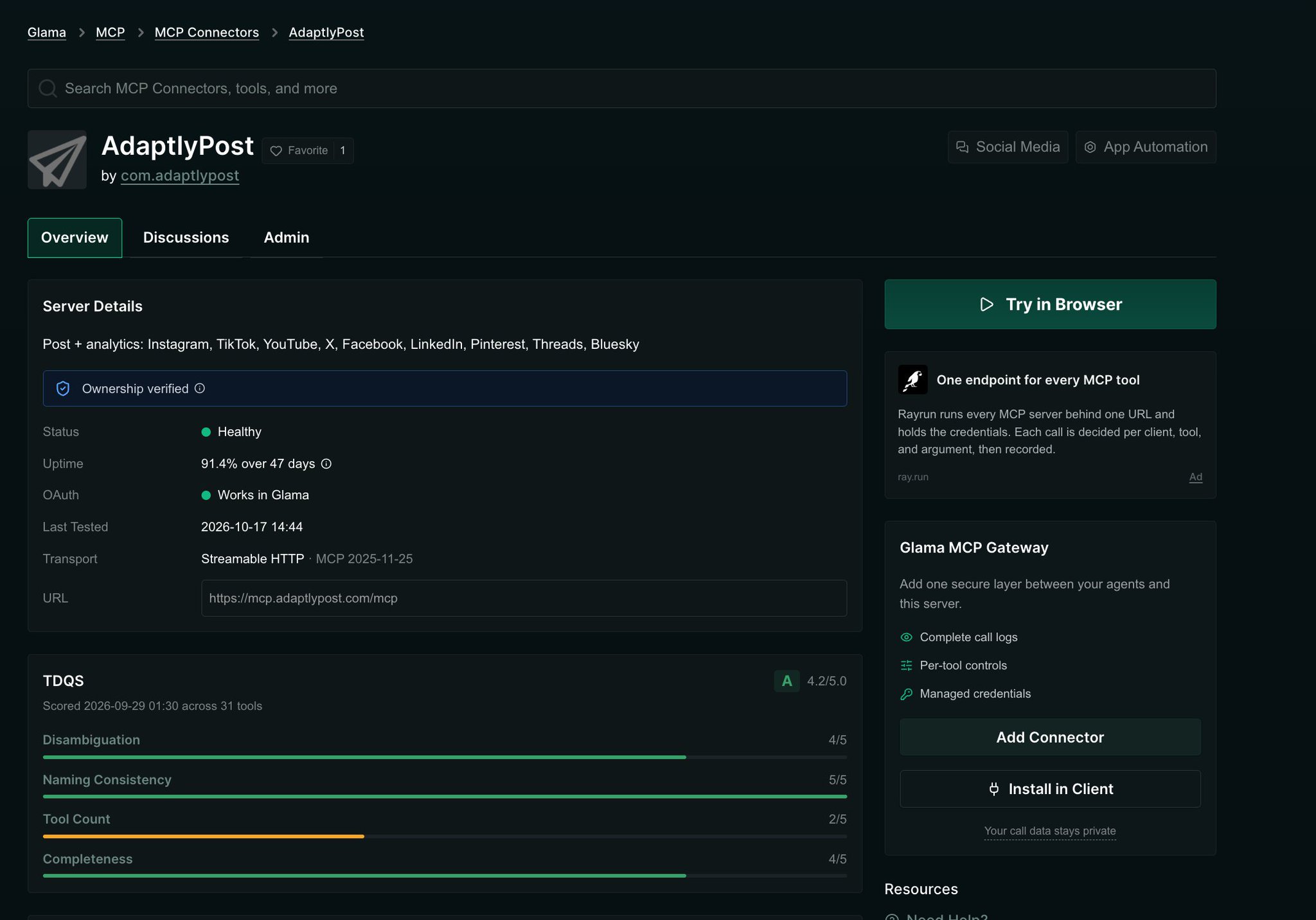
The source says Glama pulls connectors from the registry itself, so no separate submission is needed. Search Glama for the product name after the import window.
Check: A Glama listing page exists for the product and links to the intended site URL.
Align the listing details with the site General best practice
If the listing is editable, set the product name, description and link to match the canonical product page used elsewhere, then re-check the live listing.
Check: The listing's outbound link resolves to the canonical product URL with a 200 status.
This happens outside your codebase
Work through the steps above on the named site or dashboard, then record the result in your agent session. There is no repository edit for this tip.
Source: @tarasshyn on 2026-10-18 · original post · report an error